Lororo
 Lororo Academy
You bought a camera and decided to leave auto mode. For three weeks you've been asking ChatGPT about aperture, shutter speed and ISO. The chat is now 200 messages long.
Somewhere in there is a great explanation of background blur. You can't find it. You don't remember what you've already understood, and you have no idea what's left. In this guide you'll create a course with AI from a topic like this, and it takes about five minutes.
Here is what you see in Lororo Academy, screen by screen.
Look around in the quick start course
After you sign in, you land on "My topics". One course is already there: "Lororo: quick start". It's a short tour of Academy and Lororo Words, six lessons of two or three minutes each.
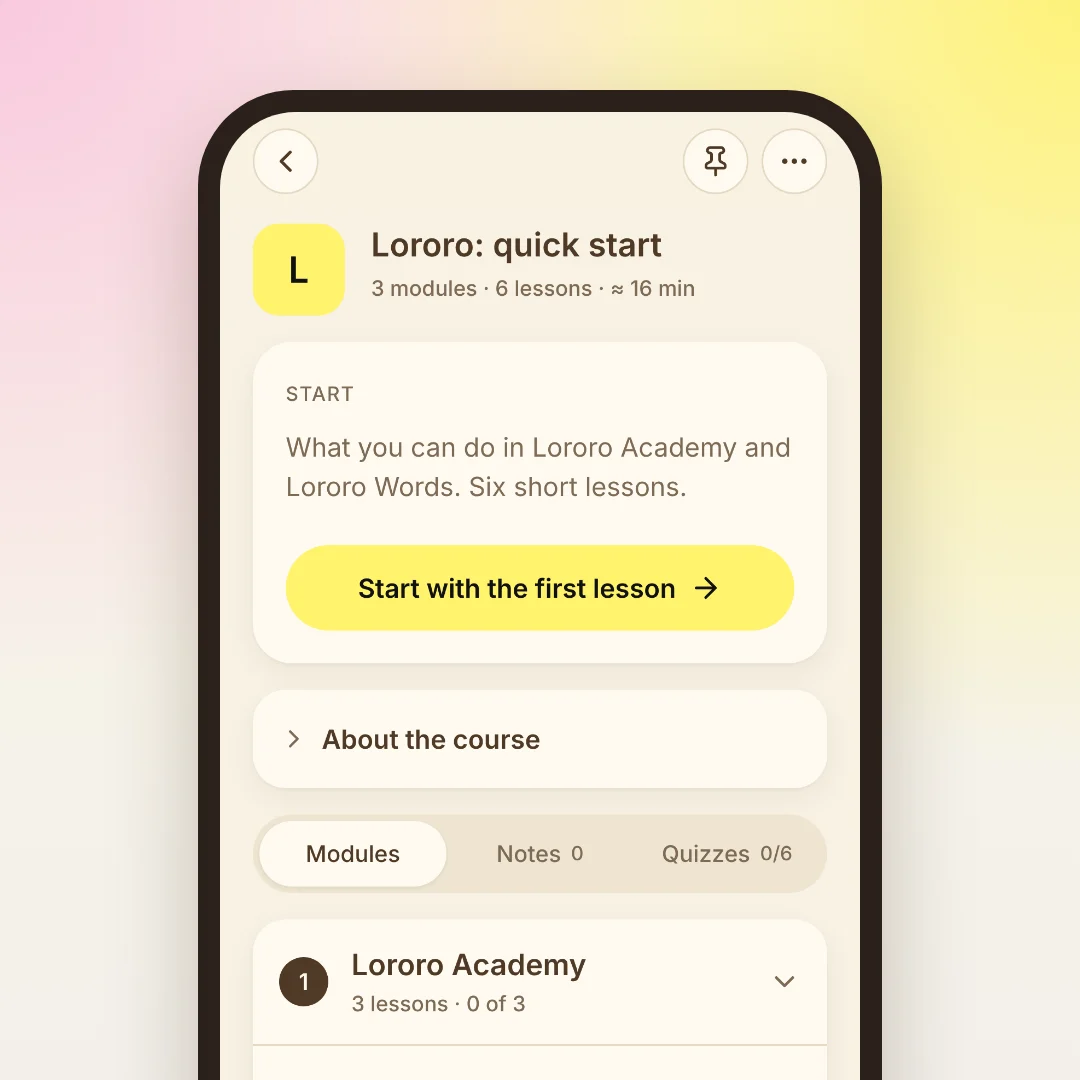
Open it and press "Start with the first lesson". While you read, you're already trying what the lesson describes. A few things worth finding on the way:
- "Listen" reads the lesson aloud, if you'd rather listen than read.
- The "Aa" button at the top changes the theme, the font and the text size.
- "Notes" next to a lesson keeps your thoughts and questions.
- "Check yourself" after a lesson is a short quiz. It's optional.
Academy remembers where you stopped. Next time, open the course and press "Continue".
You don't have to finish the tour first. When you're ready, go back to "My topics" and press "Create course".
Describe the course you want
The "New course" screen has three steps. The first one asks: "What do you want to learn?"
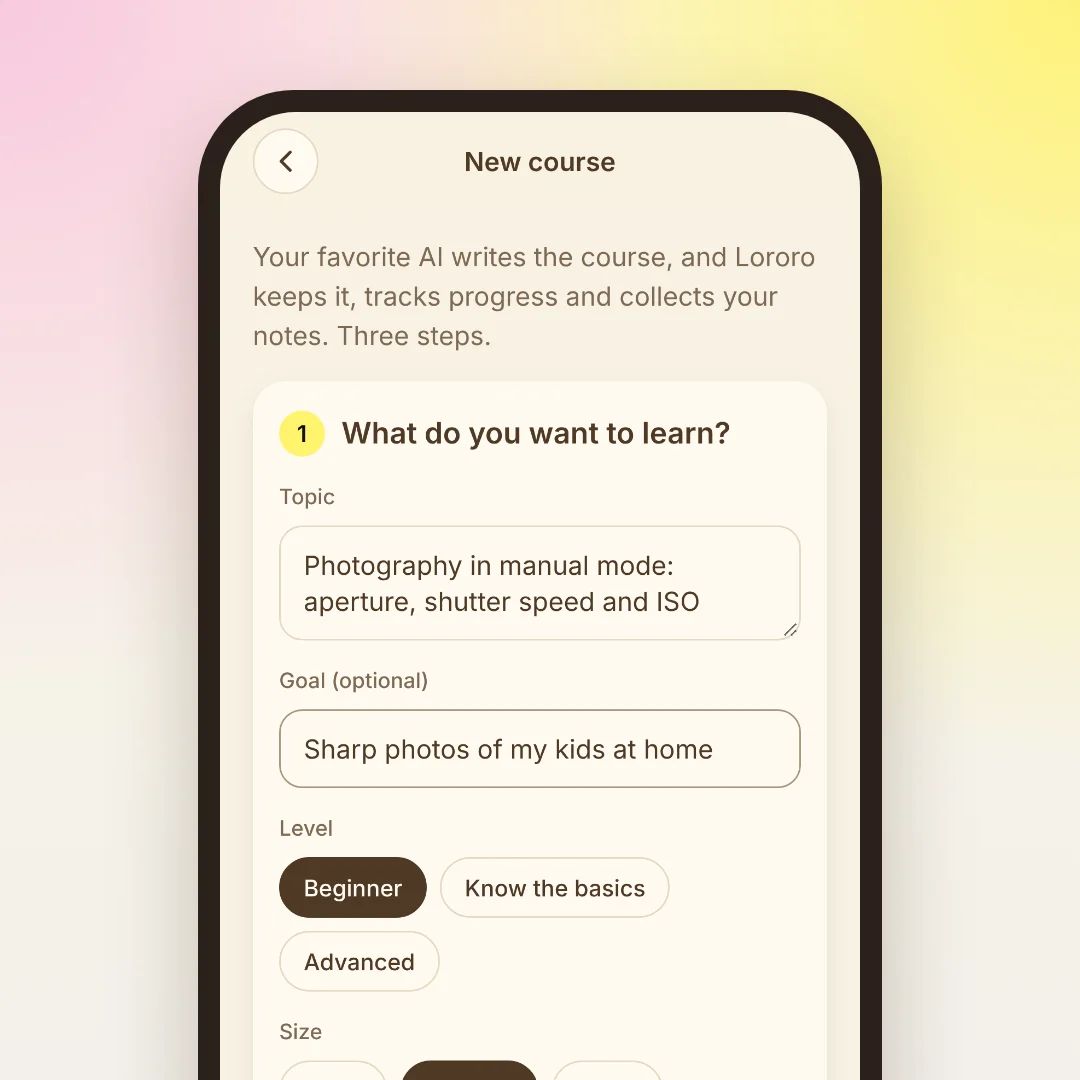
- Topic. Write it the way you'd say it to a friend: "Photography in manual mode: aperture, shutter speed and ISO".
- Goal (optional). What you want to be able to do at the end, for example "Sharp photos of my kids at home". The AI builds the course around it.
- Level. "Beginner", "Know the basics" or "Advanced".
- Size. "Short", "Medium" or "Large".
- Course language. It starts with the language of the app. You can pick another one, even if your topic is written in English. "Other language…" opens the full list.
Send the prompt to your AI
The second step builds a prompt from what you wrote. You don't have to write anything for the AI yourself.
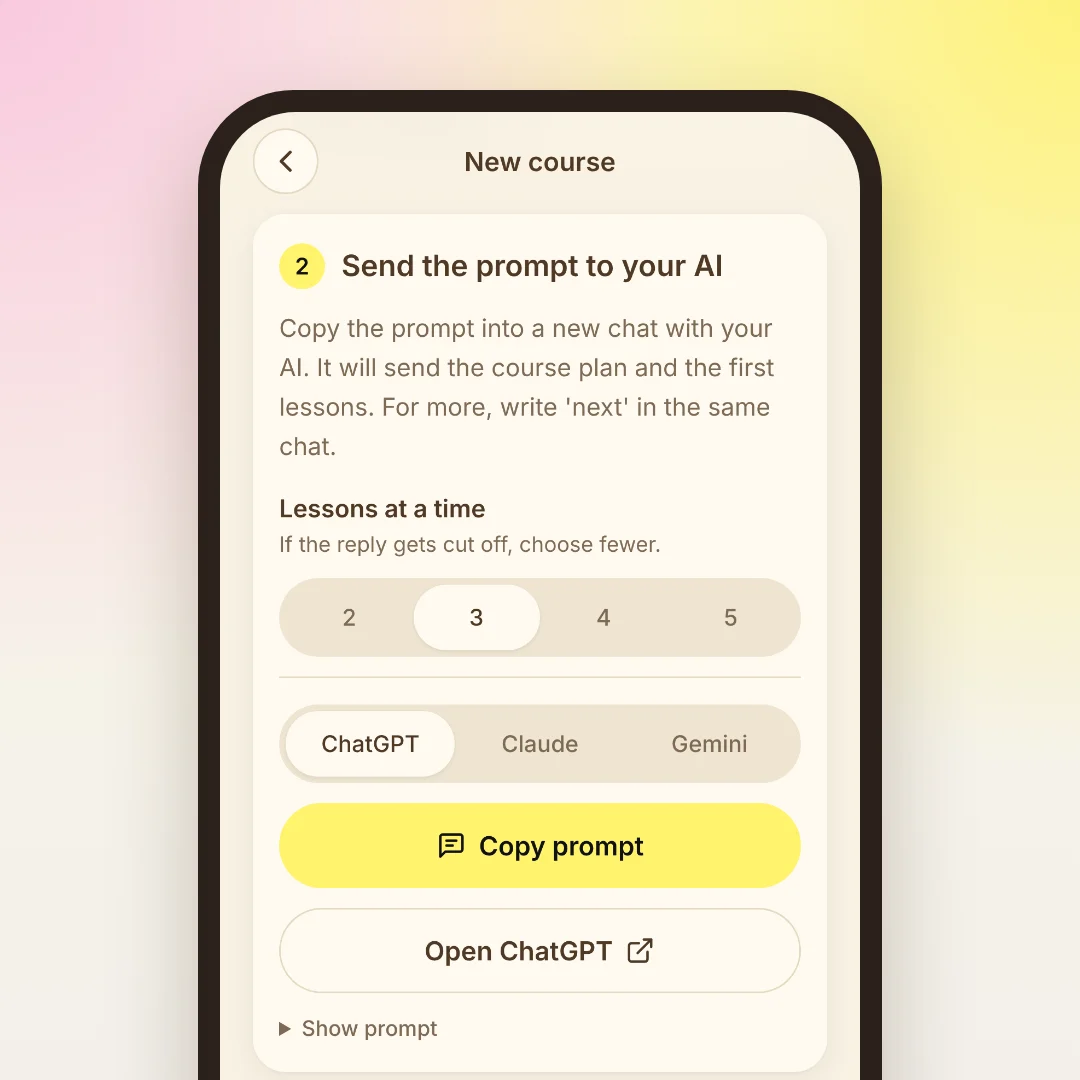
- Choose your AI: ChatGPT, Claude or Gemini. Another AI works too: pick any of the three and copy the prompt.
- Press "Copy prompt", then "Open ChatGPT" (or Claude, or Gemini).
- Paste the prompt into a new chat and send it.
The AI answers with JSON. That's plain text in a format both programs understand. You don't need to read it, only copy it. The answer holds the whole course plan and the full text of the first three lessons, with sources and a quiz.
Above the AI choice there is "Lessons at a time". Every AI has a limit on how long one answer can be. If the answer gets cut off, choose fewer lessons. If it still breaks, read AI response cut off or the course won't load: how to fix it.
Paste the answer and open your course
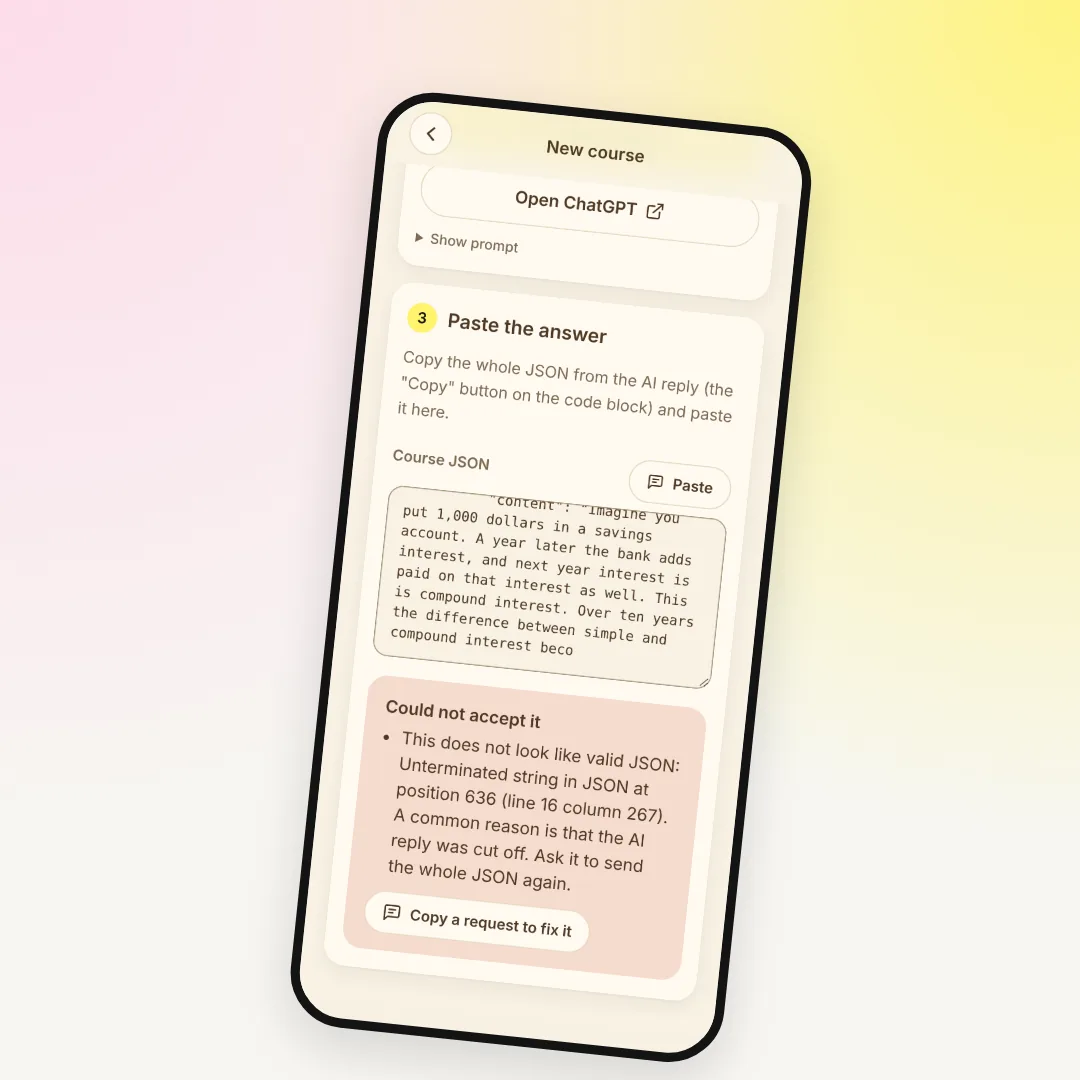
Copy the whole JSON from the AI's reply. Most chats have a "Copy" button on the code block. Back in Academy, press "Paste" in the third step.
Academy checks the answer right away. It shows the course title, how many modules and lessons it has and how many already have text. Lessons without text are marked "not written yet". Press "Create course".
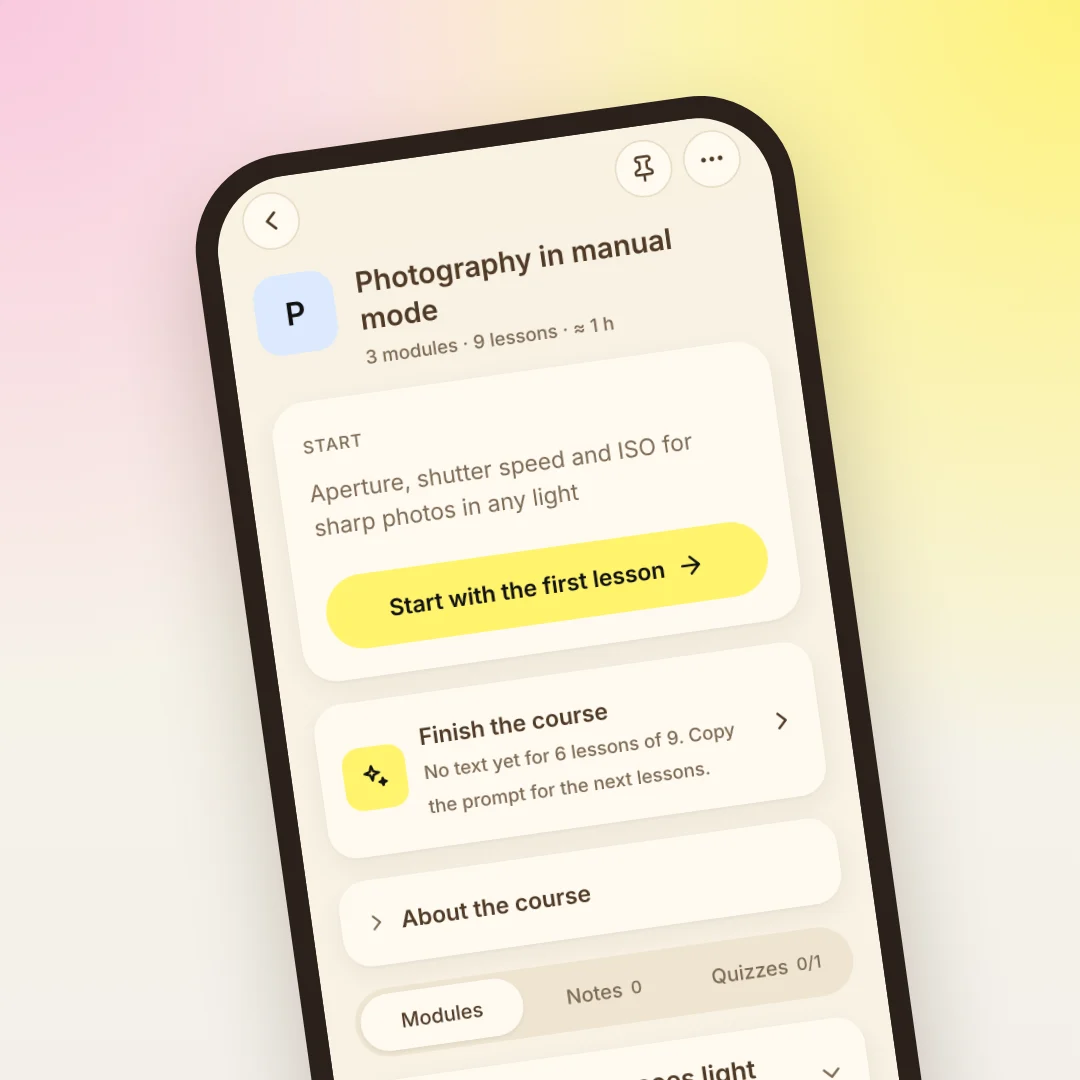
Your course now opens on its own page. The top card says "Start with the first lesson". Below it is "Finish the course": it shows how many lessons still have no text.
Write the rest of the course
You don't have to write the whole course in one evening. When you've read the first lessons, ask for the next ones.
The easiest way is the same chat. Write one word there:
The AI sends the next lessons as a new JSON. Open the course, press "Write more or change" and paste it in the "Paste JSON" tab. The lessons land in their places.
If that chat is gone, it's fine. "Write more or change" also gives you a fresh prompt for the next lessons, and it already contains the course plan. On the "Change" tab you describe what's wrong, for example "less theory, more practice", and the AI rewrites the modules. Your progress and notes stay.
What changes after the first five minutes
A week later the 200-message chat isn't your notebook anymore. You open the course and see where you stopped and what's next. A quiz after each lesson shows what stuck. Your notes are next to the lesson they belong to.
To see the whole idea behind Academy, read Lororo Academy: how to keep what you learn with AI.
Sometimes the topic is a language. Then the course alone isn't enough: you also need the words you meet every day. Lororo Words turns them into cards with audio and short daily games, and it uses the same account. Start with Your first 5 minutes in Lororo Words: language, starter pack, first game.
How to get in
We're opening Lororo in waves. Press "Join the waitlist" and leave your email. We'll write when it's your turn, and your first course can begin.
 Lororo Words