Lororo
 Lororo Words
You've decided to learn Spanish. Maybe for a trip to Buenos Aires, maybe for a friend who writes to you in it. You open a vocabulary flashcards app, and it's empty. No words, no plan, nothing to tap.
This is where many people close the app and promise to come back on Monday. Monday comes, and the app is still empty.
In Lororo Words, your first practice starts within about five minutes. Below is what you will see on each screen, in order.
Choose the language you know and the one you learn
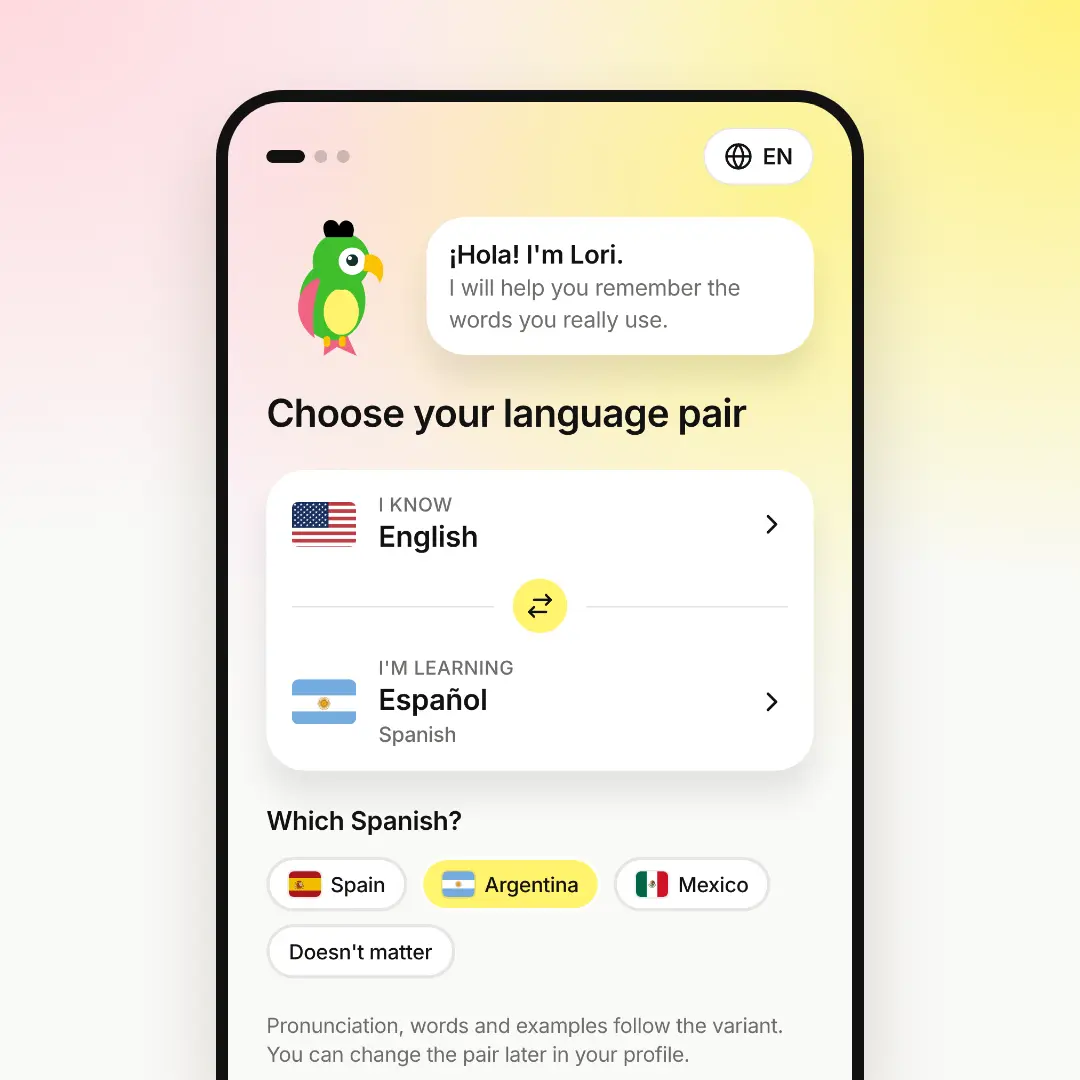
The first screen is your language pair, where Lori the parrot greets you. Below are two rows: "I know" and "I'm learning".
Tap a row to change the language. You can type its name in any language, for example "spa" or "Español". The flag shows the language at a glance.
 Pick the variant you'll hear in real life.
Some languages have variants. For Spanish, the app asks "Which Spanish?": Spain, Argentina or Mexico. For English it asks US or UK. Pick the one you'll hear around you. Pronunciation, words and examples follow it. If you don't care, choose "Doesn't matter".
Then press "Next". The app switches its menus to the language you know, if Lororo speaks it. You can change the pair later in your profile.
Your first words in the vocabulary flashcards app: a starter pack
The second screen fills your dictionary. It's called "Fill your dictionary in a minute".
You see ready-made sets on everyday topics: basic verbs, kitchen, travel, food, family and more. Each set shows how many words it has, their level and the first three words. The levels A1 and A2 are already on. Turn on B1 if you aren't a beginner.
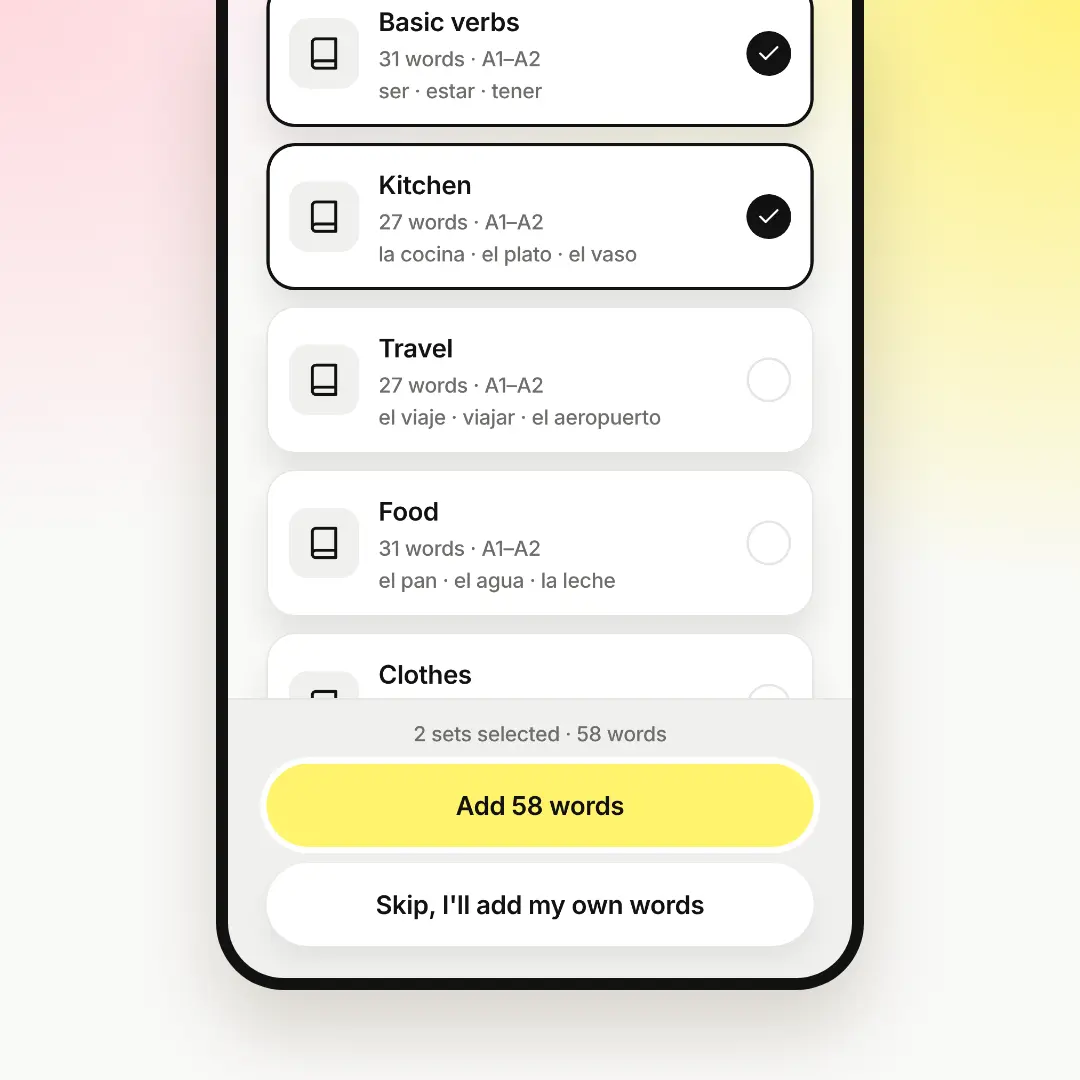
The first two sets are already ticked. Tick the topics you need and untick the rest. Then press "Add N words", where N is the number of words.
Don't worry that it's a lot. The words don't land on you all at once. They come into your cards gradually, a few new ones a day.
Every card is complete. It has a translation, a definition, an example sentence and audio. You don't type anything.
Decide how many new words a day
Next, Lori asks: "How do you want to learn?" There are two answers.
- Drill. A few new words a day, and every game repeats them until they stick. New ones come tomorrow. You choose 5, 10, 15 or 20 new words a day.
- Smart. New words keep coming as you practise. Lororo decides what to repeat and when.
If you're not sure, keep Drill with 5 words. It's the default, and it's easy to fit into a busy day. You can change this anytime in your profile.
Press "Continue". Now the home screen says how many words are waiting for you, for example "5 words are waiting for you".
Play your first round of cards
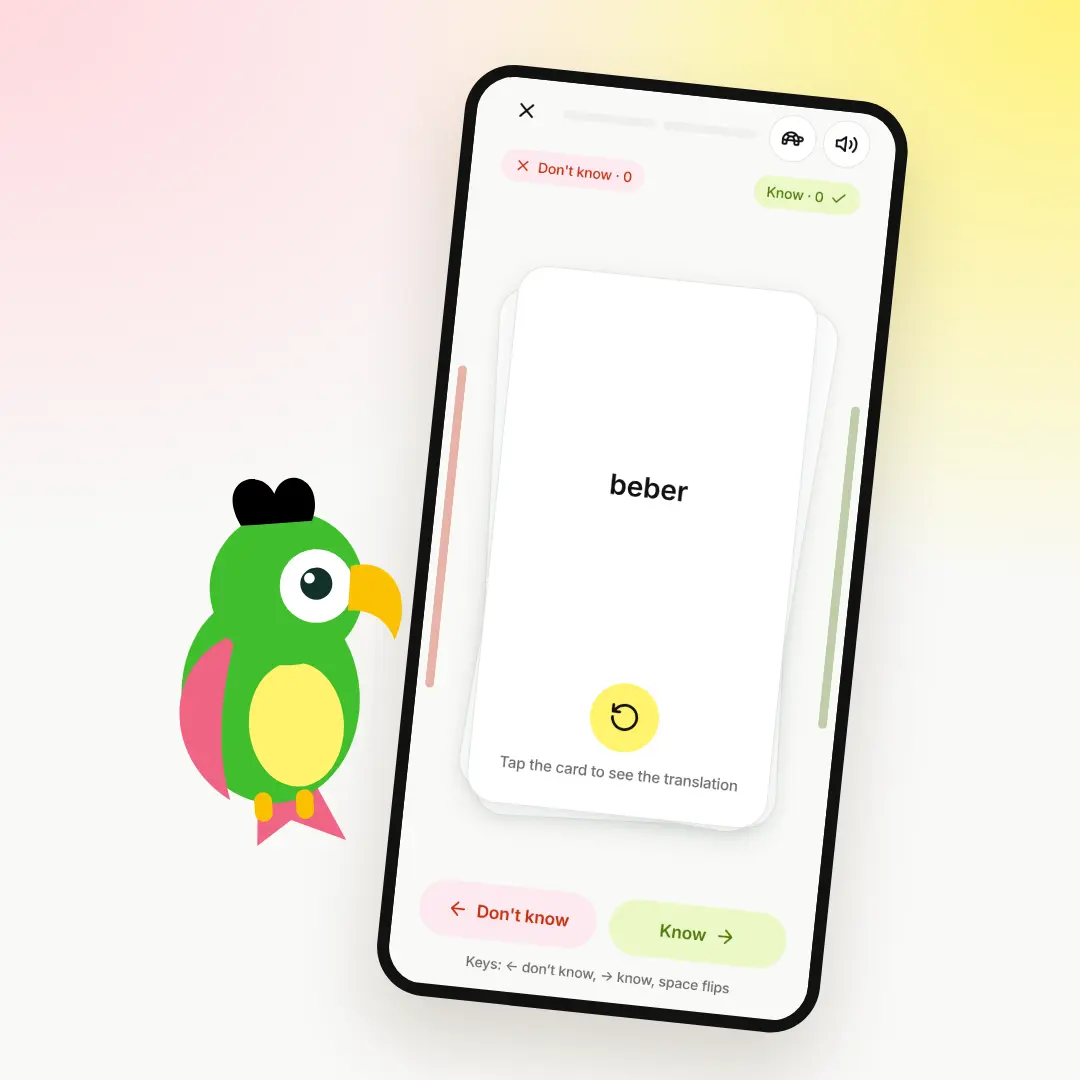
Press "Start". The first game is Cards.
You see a word in Spanish. Try to remember what it means. Then tap the card to see the translation.
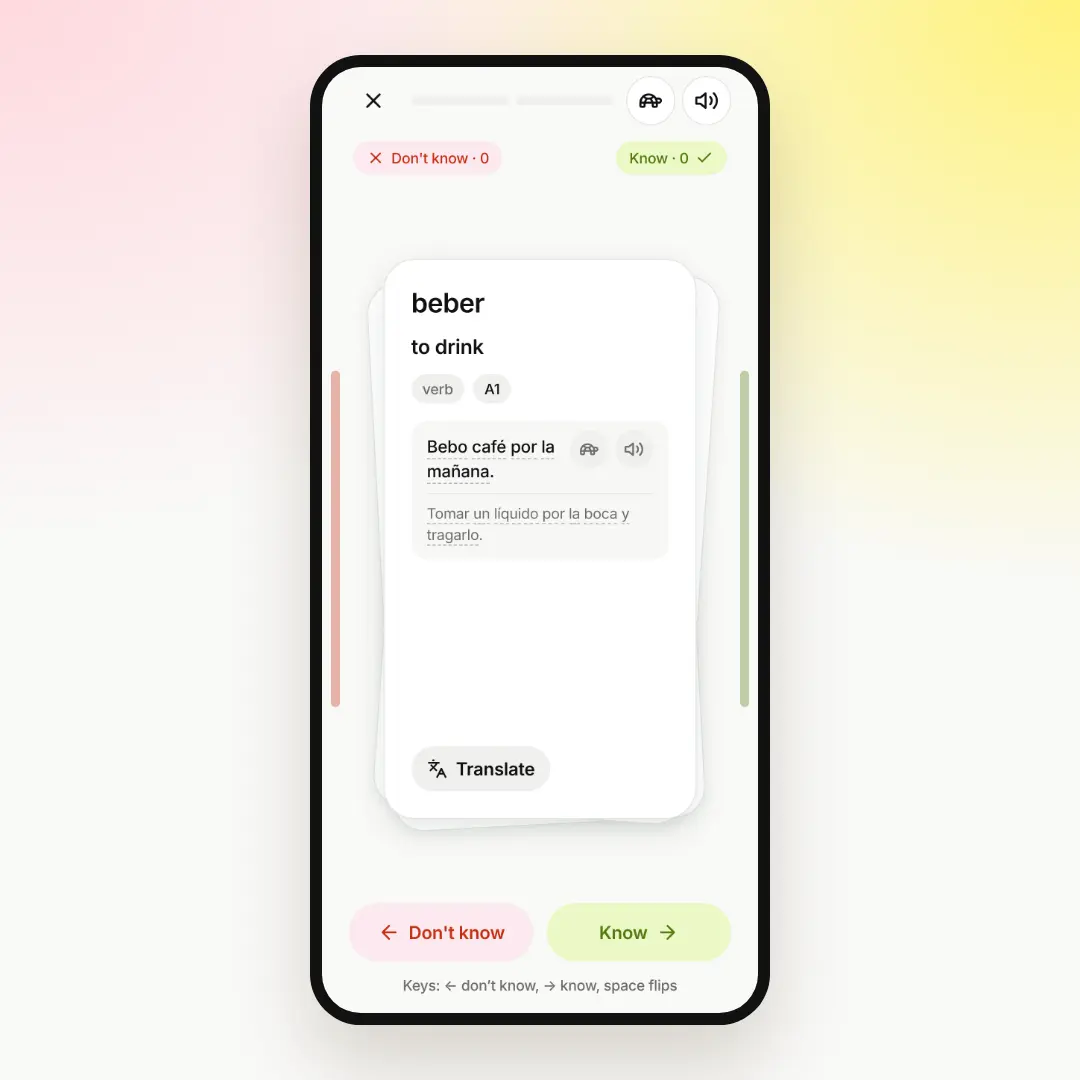
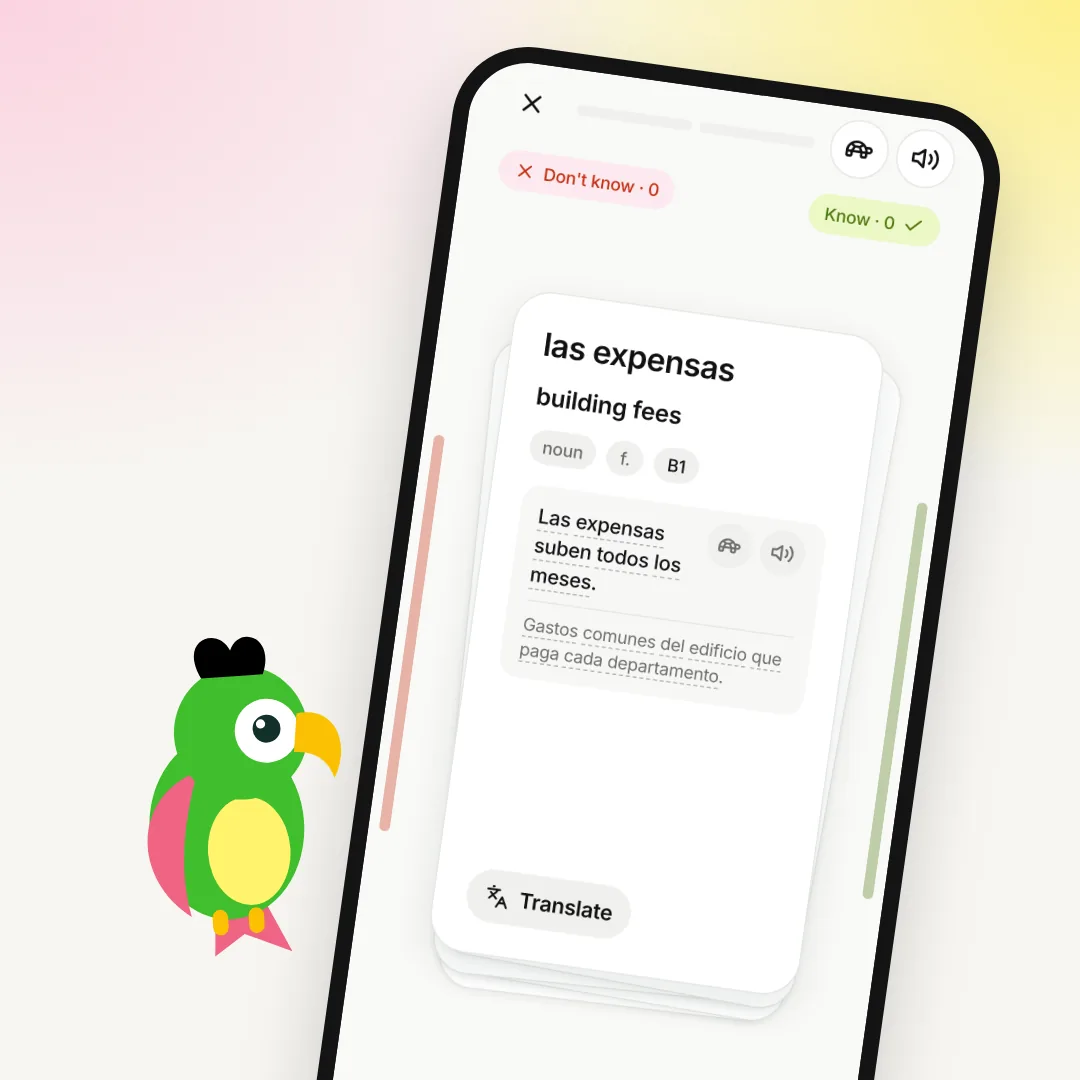
The back of the card has everything at once. The translation, the part of speech and the level. An example sentence, which you can play aloud or slowly, with the turtle button. A definition in Spanish. If the definition is hard, press "Translate". You can also tap any word in the example to see what it means.
Now be honest with yourself:
- swipe right or press "Know" if you remembered the word;
- swipe left or press "Don't know" if you didn't.
"Don't know" is not a mistake. It tells the app to bring the word back sooner. The words you know come back less and less often. That's how the app spends your time on the words that need it.
After the cards there is usually a short second round: "Build the word from memory". You see the translation and build the word letter by letter. This makes you recall the word, not just recognise it.
At the end you see your result: your character gets points on the Path, and your streak gets its first day.
What to do after the first five minutes
Tomorrow, open the app again. The home screen tells you how many words are waiting. Five minutes a day is enough to keep the words fresh. If you've given up on a language before, read Why people give up on languages, and how 5 minutes a day helps you keep going.
When you feel ready, try the other games under "Training": Tests, Sentences and Crossword. They use the same words, so you meet each word in a new way.
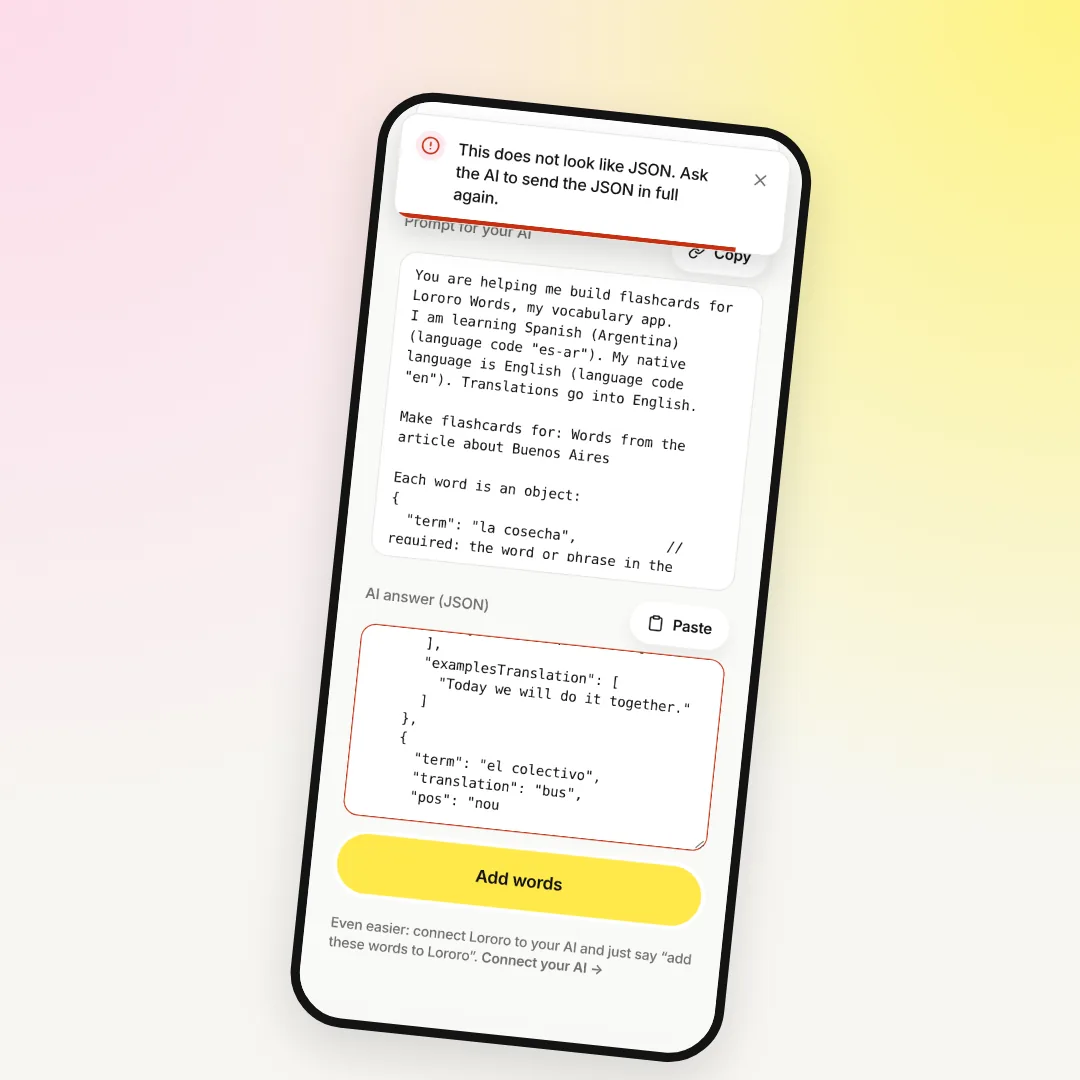
Then start adding the words from your own life. The word your friend used in a message. The word from a series you watched last night. Press "Add word", then say or type the word. The app fills in the card, and you check it. If you talk to Claude or ChatGPT a lot, connect Lororo to your AI: in your profile it's "Connect to AI". Then you can ask for words right in the chat:
To see the whole idea behind Words, read Lororo Words: how to remember the words you actually meet.
Sometimes a word list isn't enough. You may want to understand a whole topic, like how renting a flat works in Argentina. Lororo Academy turns your AI chats about it into a short course, and it uses the same account. Read more in Lororo Academy: how to keep what you learn with AI.
How to get in
We're opening Lororo in waves. Press "Join the waitlist" and leave your email. We'll write to you when it's your turn, and your first five minutes can begin.
 Lororo Academy