Lororo
 Lororo Academy
Every month the money runs out a week before payday. So for a month you've been asking ChatGPT about it in the evenings: how to make a budget, whether to pay off the credit card first or start saving, what an emergency fund is. The chat is now 200 messages long.
The best way to study with ChatGPT is to stop treating that chat as your notebook. Ask ChatGPT to turn the topic into a course, and keep the course in Lororo Academy. There you get lessons in order, a short quiz after each one and your notes next to the lesson.
Why a long chat is a hard place to learn
A chat grows in the order you asked, not in the order you should learn. The explanation of the emergency fund sits between a question about subscriptions and a budget table from Tuesday.
When you want to repeat something, you scroll. You don't know what you've already understood and what you only read once. Nothing asks you to check yourself. A month later the answers are still there, but they aren't really yours.
How to study with ChatGPT: ask it for a course
Lororo Academy writes the request for ChatGPT. You only describe the topic.
- In Lororo Academy, press "Create course".
- Write the topic, for example Personal finance from zero: budget, savings and debts. If you like, add a goal: get to payday without borrowing and start saving.
- Choose the level, the size of the course and its language.
- In the second step, choose ChatGPT and press "Copy prompt".
The prompt asks ChatGPT for the whole course plan and the full text of the first lessons. Each lesson comes with sources and a short quiz. The prompt also tells ChatGPT how to format the answer, so you can copy it with one button.
Now you have a choice. Press "Open ChatGPT" and paste the prompt into a new chat. Or go back to your long chat and paste it at the end. Then ChatGPT can build the course from your own questions:
Paste ChatGPT's answer into Academy
ChatGPT answers with JSON. That's plain text in a format both programs understand. You don't need to read it.
- Press "Copy" above the code block in ChatGPT.
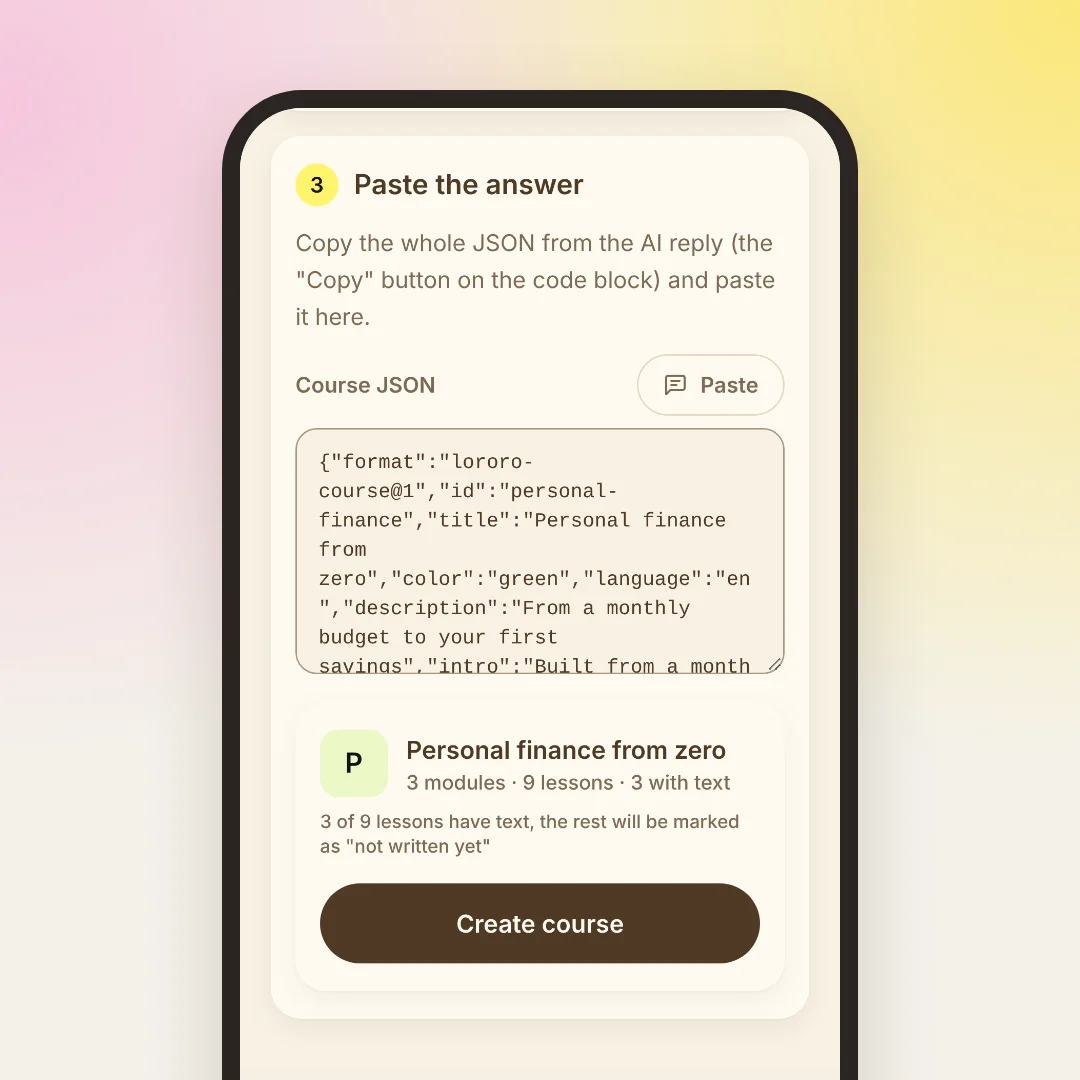
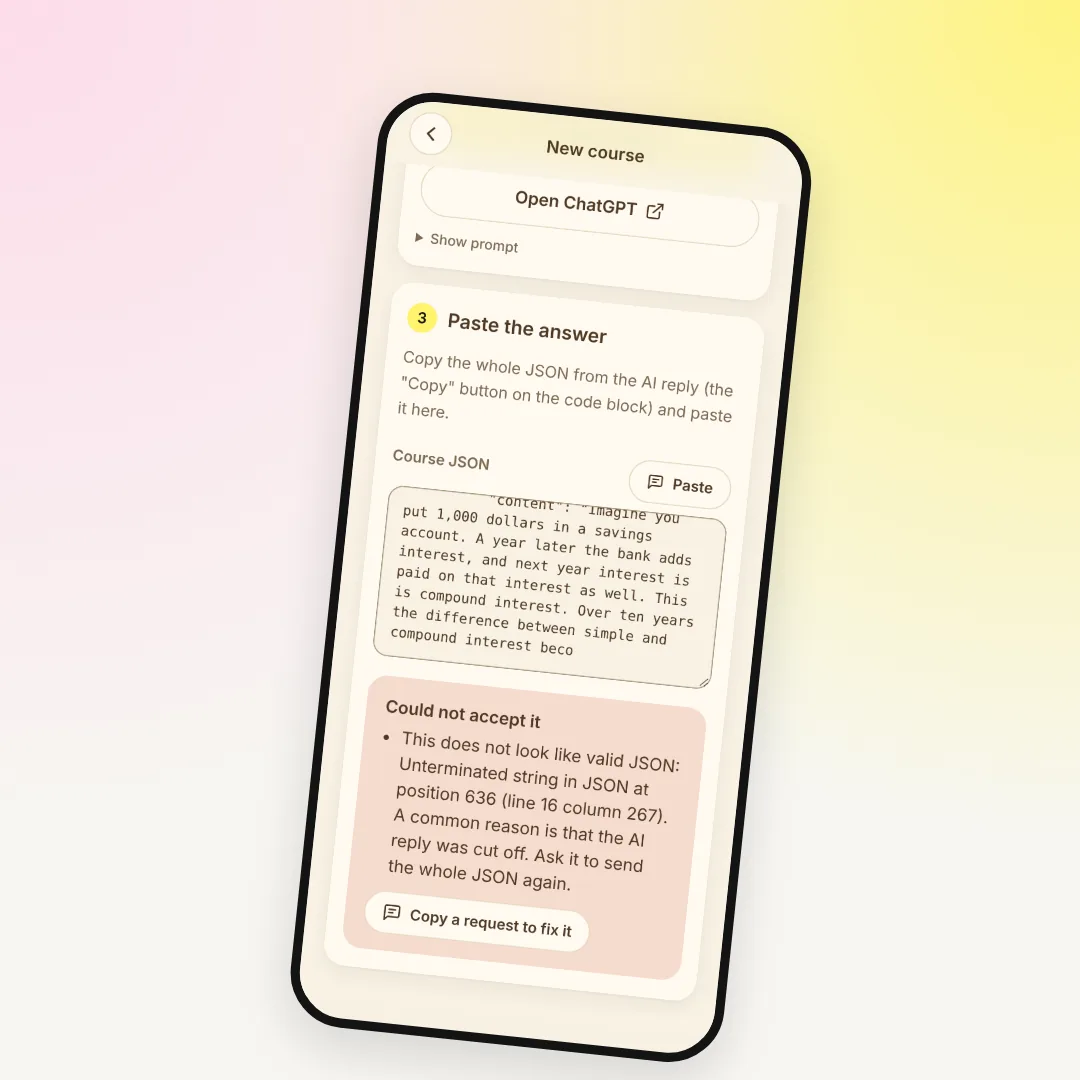
- In Lororo Academy, press "Paste" in the third step, "Paste the answer".
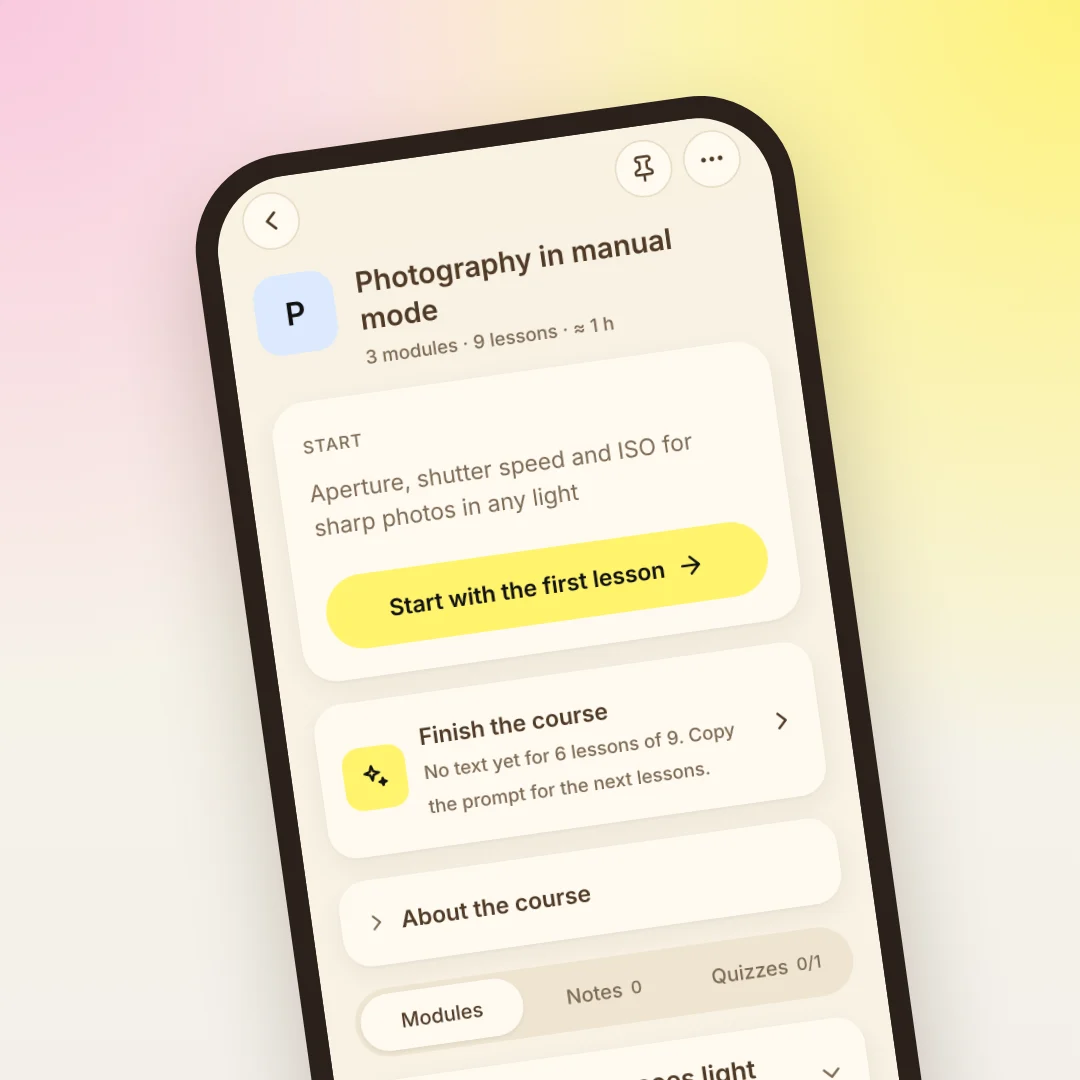
- Academy shows the course title, how many modules and lessons it has, and how many already have text. Press "Create course".
If the answer stops in the middle, or Academy can't accept it, choose fewer lessons under "Lessons at a time" and ask again. The full steps are in AI response cut off or the course won't load: how to fix it.
Ask for the next lessons
ChatGPT writes the course in parts, three lessons at a time by default. Long answers break, and parts don't. When you've read the first lessons, write one word in the same chat:
ChatGPT sends the next lessons. In Academy, open the course, press "Write more or change" and paste the answer in the "Paste JSON" tab. The lessons land in their places.
If the chat is gone, that's fine. The "Write more" tab gives you a fresh prompt for the module you choose. It already contains the course plan, so a new chat with ChatGPT is enough.
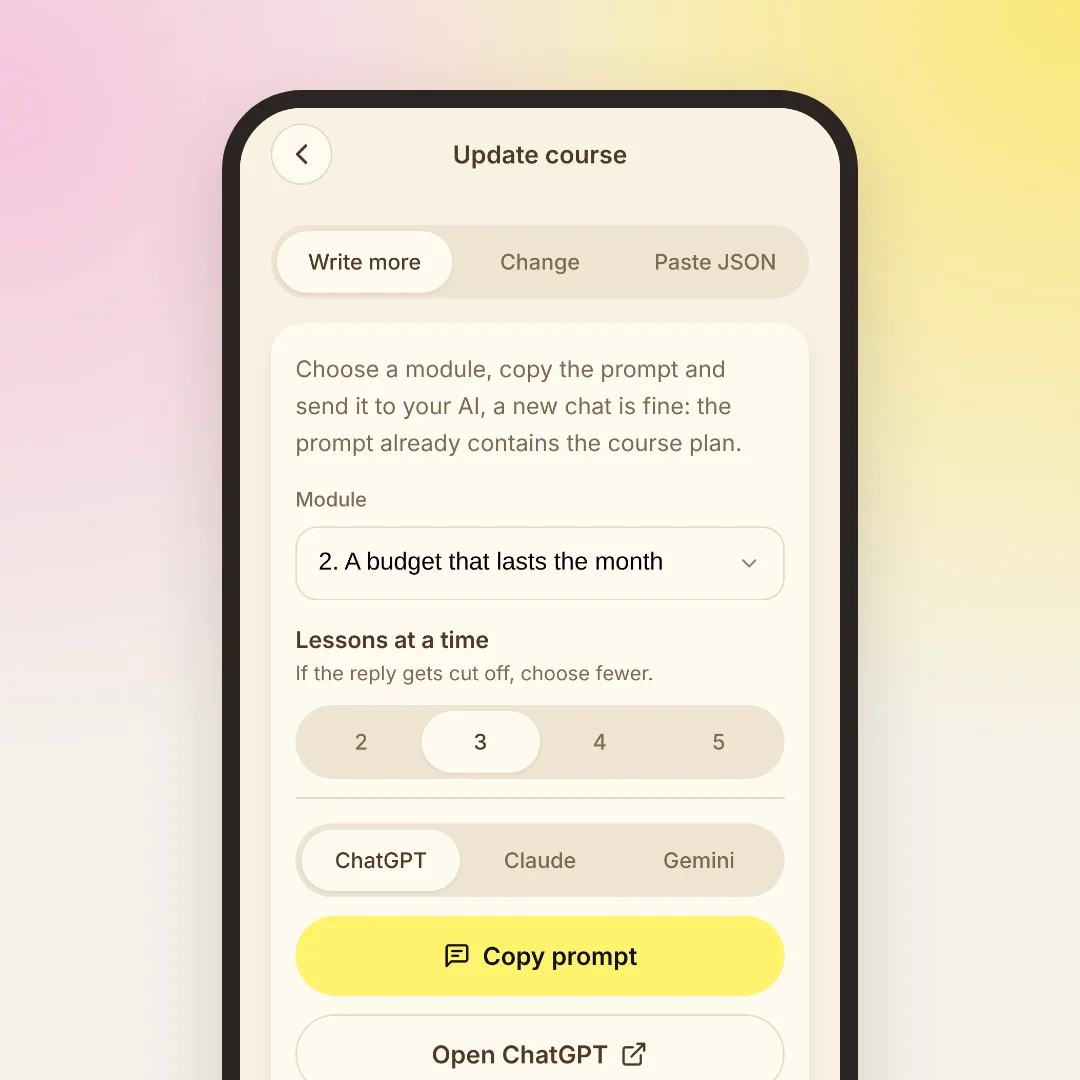
On the "Change" tab you describe what's wrong, for example fewer definitions, more examples with real numbers. ChatGPT rewrites the modules, and your progress and notes stay.
Study the course, not only read it
A course helps only if you come back to it. Lororo Academy gives you a few small reasons to do that.
- "Start with the first lesson", and next time "Continue": Academy remembers where you stopped.
- "Check yourself" at the end of a lesson is a short quiz from ChatGPT. Press "Take the quiz". Your answers stay on the course's "Quizzes" tab.
- "Notes" next to a lesson keep your own examples, like the budget that finally worked for a whole month.
- "Listen" reads the lesson aloud, for a walk or the way to work.
ChatGPT lists its sources under "Sources" at the end of each lesson. Open one when a fact matters for your work.
Tired of copying? Connect ChatGPT once
Copying the prompt and the JSON back and forth is fine for one course. If you study with ChatGPT every week, it gets tiring. You can connect Lororo to ChatGPT as a plugin. After that you write "write the next module of my finance course", and ChatGPT adds it to Academy itself. The steps are in ChatGPT plugin for learning: connect Lororo Academy, and ChatGPT writes the course into it.
Sometimes the topic is a language. Then a course isn't enough: you also need the words you meet every day. Lororo Words turns them into cards with the same account. Read ChatGPT flashcards: turn the words from your chat into cards in Lororo Words.
Start with your longest chat
Open the chat where you've asked ChatGPT the most about one topic. Turn it into a course today and read the first lesson. A week later you'll know what you've learned, because the quizzes show it. If you're new to Academy, start with Your first 5 minutes in Lororo Academy: create a course with AI.
Lororo opens in waves. Press "Join the waitlist", and I will write when it's your turn.
 Lororo Words